OXFORD HYBRID LEARNING
Hybrid Learning Model
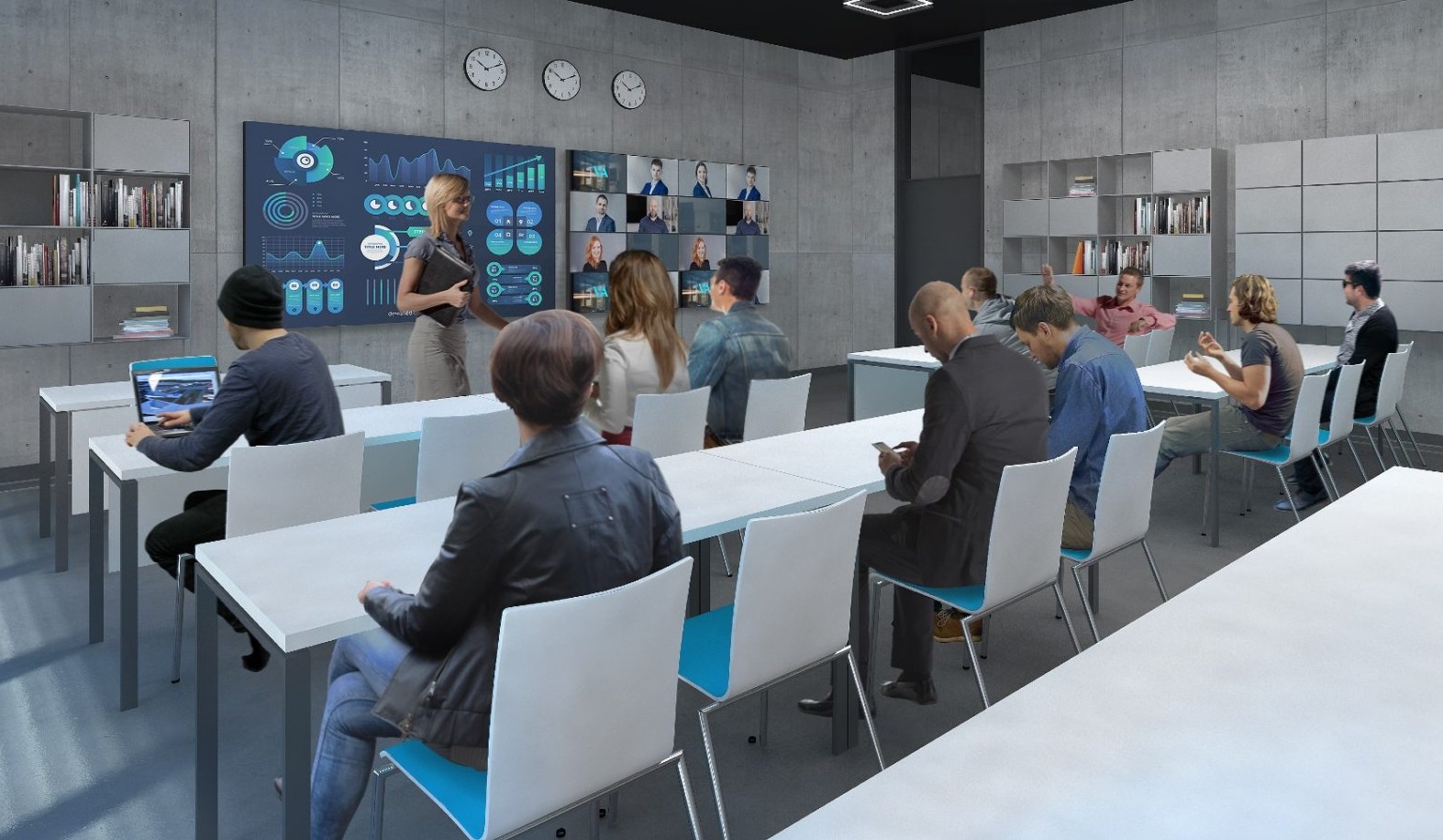
In this model, Oxford Business School lecturers conduct the lesson whilst being physically in the classroom, having all required resources on hand. In order to conduct a hybrid lesson the lecturers needs to have a computer with a video conferencing software installed.
A camera installed under the ceiling is pointing at the lecturers and a large interactive touch screen. The screen is used for writing and showing presentations and multimedia materials.
Next to the interactive screen there is an additional preview display screen showing images from the remote students’ cameras. Thanks to this, the lecturers can see the pupils in the classroom and remote students simultaneously.
Full schedule of lessons is logged in a calendar (such as Microsoft Teams). Thanks to this, students can see their lesson schedule once they log into the application, and the lecturers sees a schedule of the lessons in this particular room on the touch panel on the desk (with the most current lesson highlighted).
The lecturers can commence the lesson with one click on the touch panel – the audio-visual system in the room is turning on automatically, together with a class transmission online. Remote students can see the lecturers and the content shared with them from the interactive screen (notes, presentation etc.) on their computer or tablet. Once unmuted by the lecturers, the students can be heard by all participants – they can ask questions, give answers to the lecturers’s questions and actively participate in the class. They can also edit the documents on notes on the interactive touchscreen together with the group in the class, collaborate in group activities and share their own screen with the lecturers.
The lesson can be recorded and played in the future for students who were not able to participate in the class or can be used for material revision.
Oxford Hybrid Classroom Equipment
- Large touch screen with electronic whiteboard function for making notes and showing multimedia content.
- Additional preview display screen showing images from the remote students’ cameras (optional LED display screen).
- A camera installed under the ceiling pointing at the lecturers.
- Ceiling array microphone recording the lecturers speech with unwanted noise-cancelling function sounds (like rustle, hum, and other noise in the space).
- Classroom sound system with AEC technology (acoustic echo cancellation).
- Dedicated video conferencing codec with application licence (such as Microsoft Teams Rooms) and a touch screen panel on the lecturers desk.
Student’s Required Equipment
- A computer or a tablet with a touch screen and an electronic pen for writing.
- A video conferencing application (such as Microsoft Teams) installed.
- A headset including headphones and a microphone with ANC technology (active noise cancelling).